Industrial workspaces are tough environments, not exactly friendly to electronics. Fortunately, there are devices that can handle harsh conditions just fine. RealWear smart glasses belong to them. Today, we are going to focus on the brand’s newest models, the Navigator 520 and Navigator Z1, in detail.
Free hands for hard work
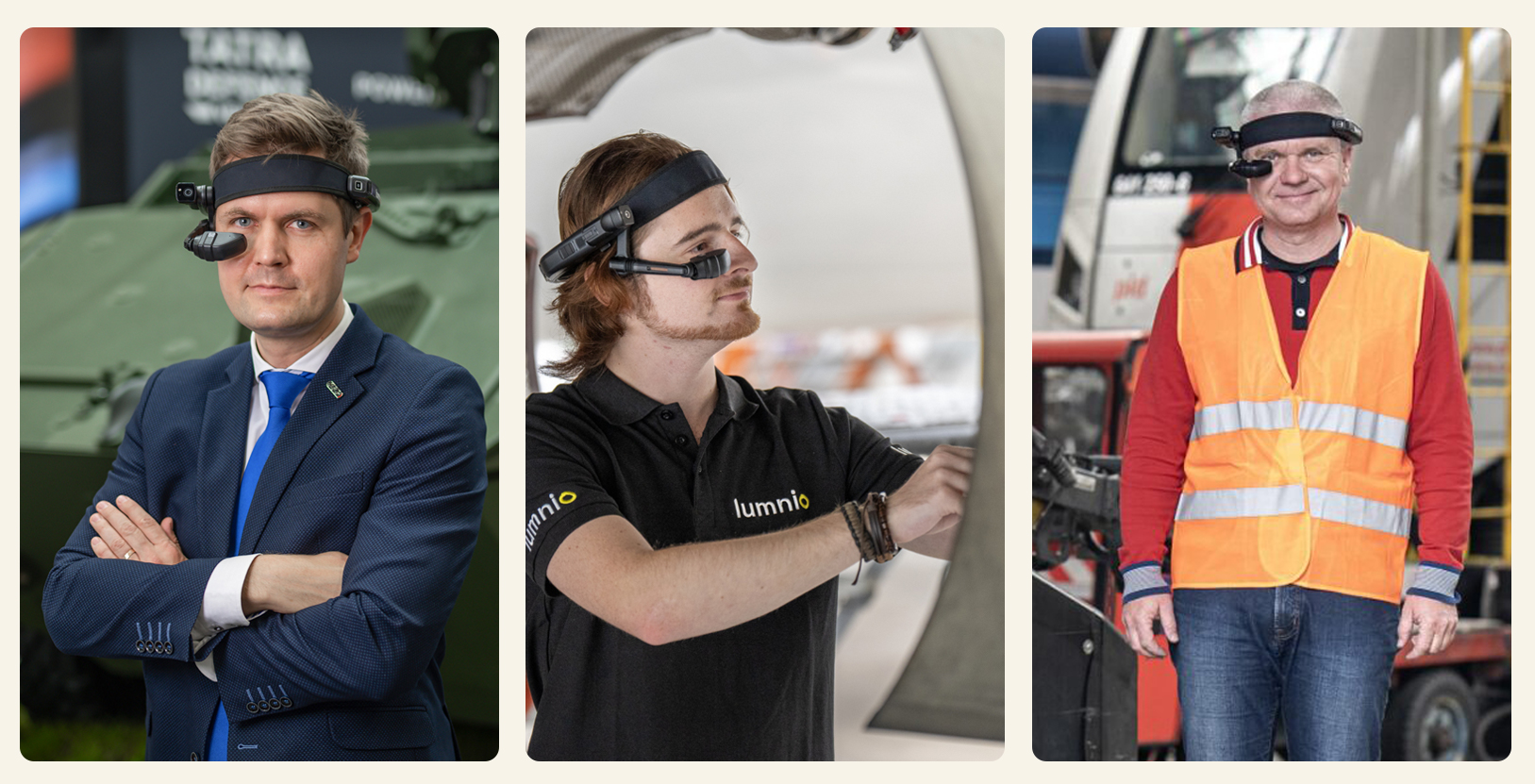
First of all, let’s talk about the purpose of smart glasses. Basically, smart glasses are a miniature wearable computer with a display and an integrated camera that helps the user during his work. In addition, industrial smart glasses, RealWear devices included, have sturdy frames that withstand tougher handling.
In contrast to industrial tablets and smartphones that are still more common in companies, smart glasses have several important benefits. Both tablets and mobiles are hand-operated. Therefore, if the technician wants to find something in the internal system, he needs to stop his work, take out the device, and type in the necessary information.
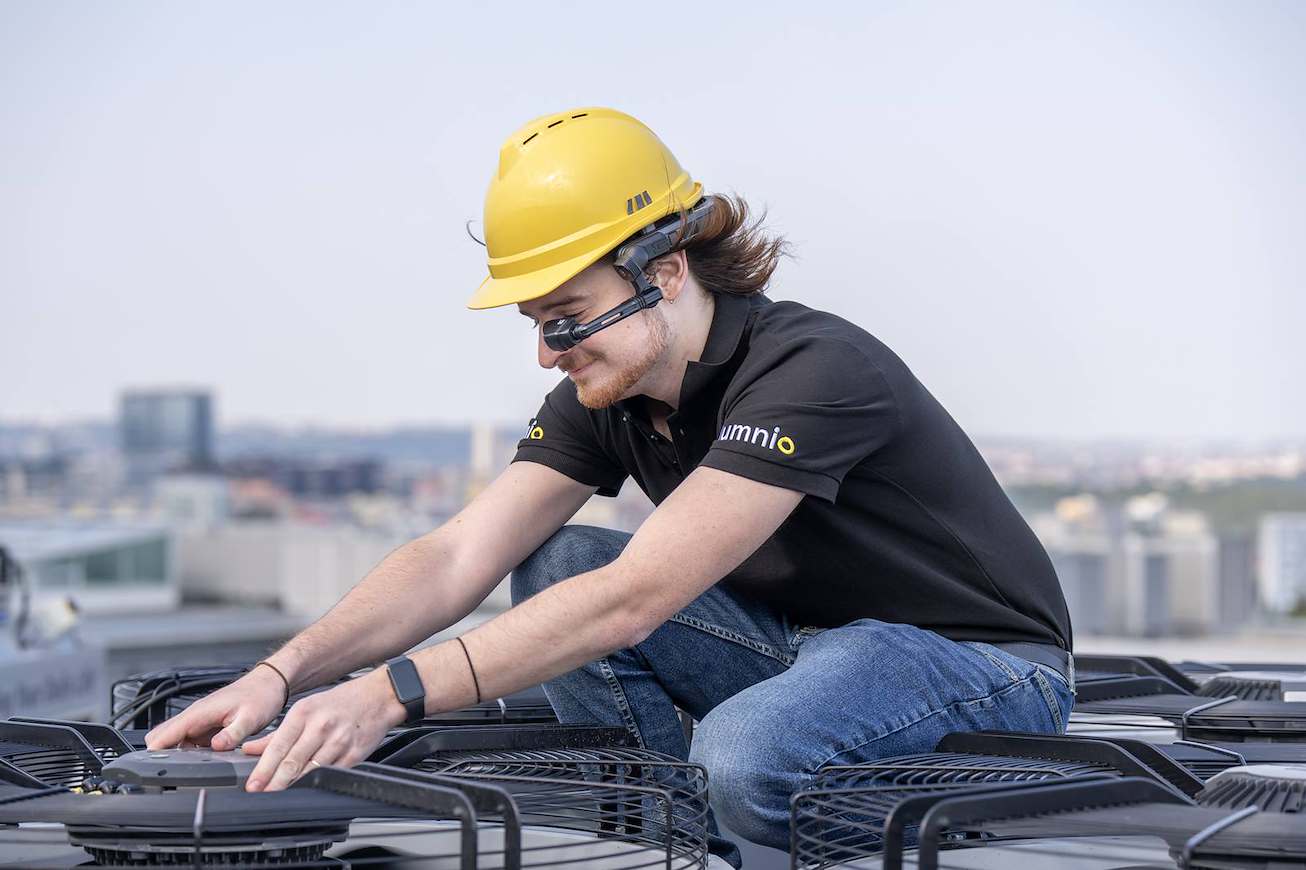
With smart glasses, there’s no need to do this. For instance, RealWear smart glasses are voice-operated so the technicians can use them hands-free during their work. Moreover, the glasses can be attached to employees’ safety helmets – and they aren’t much of a burden thanks to their light frame that weighs only a few hundred grams.
Assistance is always close at hand
And how can such a device help your team? RealWear smart glasses are equipped with assisted reality technology (aR) that projects useful information on a display located in the user’s field of vision. Therefore, the technician always knows what to do.
The glasses have an integrated full-color LCD display that, in the case of the RealWear Navigator 520 & Navigator Z1, offers high-quality 1280×720 resolution. The display is situated near the user’s dominant eye, and it shows important data. On one hand, it’s not large because it shouldn’t limit the user’s vision, on the other hand, it’s easy to read as it is located near the eyes. The wearer can easily use the display to access installed Android apps. Thanks to an adjustable frame, the display can also be moved in a way that guarantees sharp vision and comfortable wearing.
The performance of the smart glasses is ensured by a powerful Qualcomm® CPU.
RealWear smart glasses support Wi-Fi and Bluetooth that enable an easy connection with other devices. The body of the glasses is equipped with several microphones with noise-cancelling feature so you are always easy to hear during communication. Furthermore, there is a 48MP 1080p built-in camera that can be used to record surroundings from the technician’s point of view.
>> Read details at device’s datasheet.

Resistance above all else
Another advantage of RealWear glasses is their high durability. The smart glasses are adapted to harsh industrial environment – that means they can survive a fall from up to 2 m and won’t break even during careless handling.
Navigator 520 & Navigator Z1 models are dust-tight and resistant to water jets (IP66), and they can handle great temperature changes as well. Moreover, the Navigator Z1 model offers even stronger protection for dangerous conditions (ATEX Zone 1).
The glasses’ battery has decent endurance, too. In both models, it can handle up to 8 h of operation. However, when used intensively (e.g. during long calls with remote support), the battery drains faster (in approx. 2.5 h). Nevertheless, the Navigator 520 model supports battery hot-swapping, meaning that its battery can be changed even during operation. That makes RealWear glasses a perfect choice for shift work.
Unlock the full potential of RealWear smart glasses with the Lumnio app
Thanks to their capabilities, the RealWear smart glasses are a handy tool for technicians in manufacturing, service, and maintenance.
Boost the potential of the glasses with useful software. For example, the Lumnio app provides your technicians in the field with tech documentation and enables high-quality remote communication with your HQ. Moreover, the app is a perfect fit for shared devices – as we offer both user AND device-bound licenses. This way, you can easily try out smart glasses in your team.
Interested in this topic? Read also how to choose smart glasses for your business. Or find your closest Lumnio tech partner.