Lumnio is compatible with the industry’s leading smart glasses models. What are the differences between them? What are their advantages / disadvantages? And which one to choose? Read our comparison.
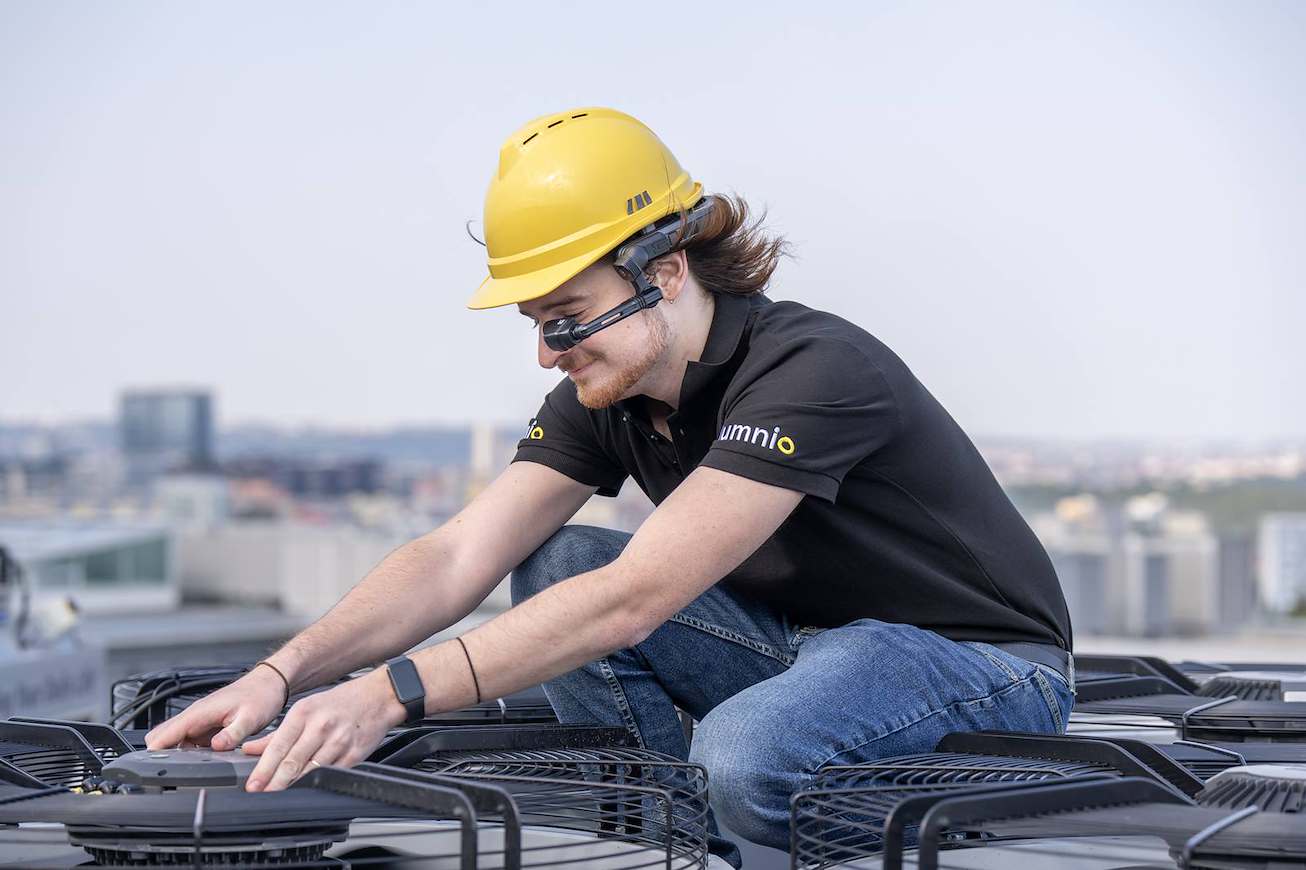
Smart glasses and augmented reality technologies are spreading into the industrial market. Companies appreciate the benefits of smart glasses as they make technicians‘ work easier – not only on the factory floor, but also in the field. They provide the workers both with better overview of the situation and freedom of movement. Service interventions are thus more efficient.
Growing popularity of the industrial smart glasses caused a significant influx of brands and models of these devices to the market. However, when making such an investment in your company, the most important aspect to consider is the quality of design. That’s why we designed Lumnio to work on the most reliable and widely used types of smart glasses – models from the RealWear, Vuzix and Hololens brands. A comparison of their parameters can be found in the table at the end of this article.
The choice of a particular device depends on the needs of your company. In this article, we will advise you on which one to choose.
Influence of the work environment
One of the most important factors to consider when choosing smart glasses is the working environment in which you will use them. The conditions in industrial halls can be tough on electronics, so the glasses need to be able to withstand a lot.
What kind of environment do your technicians work in?
- Humid and dusty – Choose glasses with an appropriate IP rating that ensures the device is properly resistant to dust, dirt and moisture.
- Mechanical damage hazard – Smart glasses can be accidentally dropped while being handled in industrial environments. Something may also fall on top of them. That’s why the glasses’ construction has to be resistant to mechanical damage – whether workers wear them on a safety helmet or directly on their face.
- Noise – Noisy environments can affect the voice control feature of the smart glasses as well as the recordings of workflows or the language translator function. For such environments, we recommend that you choose smart glasses with good noise cancellation. If your workers are required to wear noise-cancelling headphones or safety protectors, the glasses must be compatible with the device.
- Extreme Temperatures – For work in cold storage, steel fabrication or other environments with extreme temperatures, it’s essential to choose smart glasses that can handle such temperatures.
- Poor lighting – Lighting conditions can affect both the camera’s image-capturing capabilities and the readability of its display with additional information. If you plan to use the glasses in poorly lit areas, you need to select a device with an appropriate specification.
- Explosion hazard – In specific environments with an increased risk of explosions, it is essential to choose smart glasses that meet safety regulations and are ATEX certified.
User comfort
When picking the right smart glasses models, there are further important criteria to consider: features of the device and user comfort.
What are the key product features you should focus on?
- Weight and overall comfort – When searching for the perfect model for your needs, think about the glasses’ weight. Furthermore, consider how comfortable they are to wear. If you will be attaching the glasses to a safety helmet, contemplate not only their weight, but also how easy they are to handle.
- Use with protective equipment – Do your workers wear safety helmets? Then be sure to check whether the device you choose can be attached to them. In addition, some devices can be attached to hard hats, while others also serve as certified safety glasses. You may as well find device models that can be combined with headphones for hearing protection or safety glasses.
- Battery life – Battery life determines how long you can use your smart glasses in one go. Some devices also allow for “hot-swapping,” which means you can replace their battery while you’re performing a task.
- Display type – There are smart glasses with monocular or binocular screen type. Monocular glasses display information in front of only one eye. Therefore, they are less distracting. The binocular design, on the other hand, covers both eyes and provides more immersive experience.
- Control – You can control the smart glasses in several ways: using the touchpad on the glasses or an external accessory device, voice instructions, hand gestures, or by looking at the display with your eyes.
- Connectivity – Industrial smart glasses connect to the internet via Wi-Fi. To pair with external devices, they typically use Bluetooth.
- Lens – Camera quality is one of the most important parameters of the glasses. High resolution, illumination, autofocus or horizon correction are features that you will appreciate not only during video calls, but also when scanning QR codes or using the optical character recognition (OCR) function.
- Availability of accessories – Manufacturers offer a variety of accessories for smart glasses. These include modems, thermal imaging cameras, headphones, spare batteries, external chargers, mounts for protective gear, etc. Make sure your chosen device has all the accessories you need.
| RealWear Navigator 520 | RealWear Navigator Z1 | VUZIX M400 | VUZIX M4000 | Microsoft HoloLens 2 | |
| Manufacturer’s website | https://www.realwear.com/devices/navigator-520 | https://www.realwear.com/devices/navigator-Z1 | https://www.vuzix.com/products/m400-smart-glasses | https://www.vuzix.com/products/m4000-smart-glasses | https://www.microsoft.com/en/hololens |
| Type of XR glasses | Augmented Reality / Assisted Reality | Augmented Reality / Assisted Reality | Augmented Reality / Assisted Reality | Augmented Reality / Assisted Reality | Mixed Reality |
| Use | Interior and exterior, demanding environments | Interior and exterior, explosive environments | Interior and exterior, demanding environments | Interior and exterior, demanding environments | Interior, clean environments |
| Resilience | IP66, MIL-STD-810H, pád z 2 metrů, -20°C až +50°C | ATEX Zone 1, CSA C1/D1, IP66, MIL-STD-810H, pád z 2 metrů, -20°C až +55°C | IP67, IEC60601-1-2:2014, -20℃ až 45℃,pád z 2 metrů | IP67, IEC60601-1-2:2014, -20℃ až 45℃, pád z 1 metrů | – |
| Field of View | 24° horizontal | 24° horizontal | 16° diagonal | 28° diagonal | 43° horizontal 29° vertical 52° diagonal |
| Camera | 48MP 1080p 60fps camera | 48MP 1080p 60fps camera | 12.8 MP 4K 30fps camera | Native passthrough, 12.8 MP 4K 30 fps camera | Native passthrough, 8MP camera @ 30fps, 1080p video |
| Display | Single LCD monocular, 1280×720 per-eye | Single LCD monocular, 1280×720 per-eye | Single OLED monocular | Single DLP monocular, 854×480 per-eye | 2 x LBS binocular, 2048 x 1080 (per eye) |
| Sound | Integrated speaker 94 dBA loudspeaker |
Integrated speaker 94 dBA loudspeaker |
Integrated mono speaker | Integrated mono speaker | Integrated stereo speakers |
| Tracking | 3 IMUs (including 3-axis accelerometers, gyroscopes, eCompass) | 9-DOF (3-axis accelerometer, magnetometer, and gyroscope), software enhanced stabilization | 3 DoF Non-positional | 3 DoF Non-positional | 6 DoF Inside-out via 4 integrated cameras |
| Control | Voice | Voice | Touch pad, voice, head movement | Touch pad, voice, head movement | Voice, Gestures |
| Tracking | Head Tracking | Head Tracking | Head Tracking | Head Tracking | Eye Tracking, Hand Tracking, Head Tracking |
| USB | USB Type-C | USB Type-C | USB 3.1 Gen 2 Type-C | USB 3.1 Gen 2 Type-C | USB Type-C |
| WiFi | WiFi | WiFi 6E | WiFi 802.11 a/b/g/n/ac | WiFi 802.11 a/b/g/n/ac | WiFi 5 (802.11ac 2×2) |
| Bluetooth | Bluetooth 5.1 | Bluetooth 5.2 LE | Bluetooth 5.0 BR/EDR/LE | Bluetooth 5.0 BR/EDR/LE | Bluetooth 5.0 |
| Memory (RAM/Internal storage) | 4 GB /64 GB | 8 GB /128 GB | 4 GB / 64 GB | 6 GB / 64 GB | 4 GB / 64 GB |
| Chipset | 2.0 GHz 8-core Qualcomm® Snapdragon™ 662 with Adreno 610 GPU – OpenGL® ES 3.2 & OpenCL™ 2.0 | Qualcomm® QCS6490 | 8 Core 2.52Ghz Qualcomm XR1 | Qualcomm XR1 8-core 2.52 GHz | Qualcomm Snapdragon 850 Compute Platform |
| Weight | 274 g | 383 g | 190 g | 222 g | 566 g |
| Battery | 2600 mAh Hot-swappable battery |
2550 mAh Li-Ion; removable and rechargeable (Outside of Zone 1) | 3200 mAh Xtreme Weather battery | 750 mAh IP67 or an extended life 4800 mAh USB-C power bank | 750 mAh IP67 or an extended life 4800 mAh USB-C power bank |
| Battery life | 8 hours | 8 hours | 2–12 hours | 2–12 hours | 2.5 hours |
| Operating system | Android 12 | Android 12 | Android 9 | Android 9 | Windows Holographic |
| Internet price | 2900 USD | 5450 USD | 1800 USD | 2500 USD | 3500 USD |
| RealWear Navigator 520 | RealWear Navigator Z1 | VUZIX M400 | VUZIX M4000 | Microsoft HoloLens 2 |